Garmin Edge 500 Tips and Tricks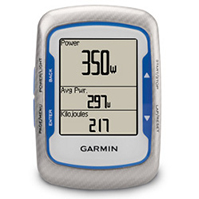
The Edge 500 is a cyclist favorite, when a slim and simple design is more important than having every possible feature. While the Edge 500 may miss some of the mapping functionality provided by its more expensive sibling, the Edge 800, it provides more than enough features to satisfy even the most demanding athlete. Benefits of the Edge 500 include:
- Light weight design
- Multiple bike and rider profiles
- Tanita BC-1000 ANT+ wireless scale support
- Virtual partner/racer support. Create your own workout and get alerts while riding!
- Power capable, including upcoming new left/right pedal based power meters.
Turn by turn directions using a TCX Course
An Edge 500 can use a TCX course file, exported from any mapped or previously ridden ride. If the TCX course file comes from a route which has a cuesheet, you will get turn by turn directions while riding the course. If the file is exported from an existing ride, the virtual partner will follow the existing ride’s times. If it comes from a route drawn with our bike route planner the virtual partner times will be off. Unfortunately, you cannot turn off the Virtual Partner on the Edge 500.
OK, so how do I get the file on my GPS?
The directions are easy enough depending on your level of comfort on your computer. I am assuming you can plug in the Edge, open up a folder to view its contents, and drag a file to a folder.
- Plug in your Garmin
- On the website, navigate to your route or ride.
- Otherwise, click the Export tab then click on TCX Course
- If your computer prompts you to save the file to a specific location, place it somewhere memorable like the desktop.
- Using the Finder, My Computer or other tool on your computer, open up the drive associated with the Garmin, usually labeled Garmin
- Open the Garmin folder located inside the Garmin drive.
- Click/drag the exported file from your desktop to the NewFiles folder.
- Safely remove the Garmin (Eject on an Apple machine) and unplug it from the computer
- After powering it on click the Courses icon and locate your route


 by
by 


